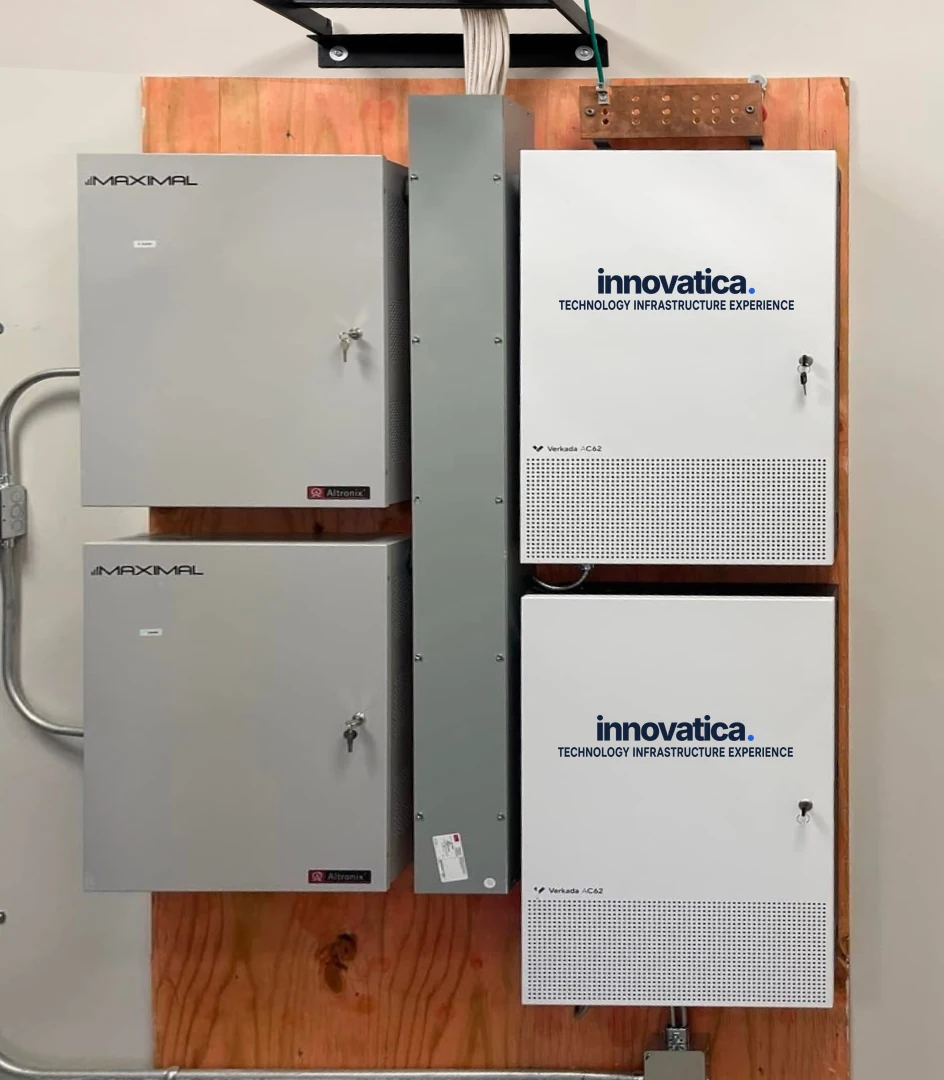
Access control and security camera installation in New York City
Innovatica installs and upgrades card access, security cameras, and video intercoms for New York City offices. From a single suite entrance to a multi-floor build-out, we coordinate door hardware with the landlord, camera coverage with facilities, and network connections with IT.
Access control · video surveillance · video intercom
Scope
Division 28, with the cabling under Division 27
Tested
Every opening and every camera view, with your team
License
#12000342661 · NYC SBS-certified WBE
Access control and video platforms
Office security systems we install
Start with the door schedule. Who needs access, at what hours, and who at the front desk handles a visitor or a denied entry?
Door access control (card access)
We match each reader and controller to the lock on the door hardware schedule. Your facilities team sets staff groups and access hours. At turnover, we test an authorized badge, a denied badge, and the door-held-open alert at each applicable opening.
Security cameras and video surveillance (CCTV)
Tell us what you need to see: a face at the entrance, a delivery at the dock, or a person crossing the lobby. We set the camera views, size storage for your retention period, and have an operator find and export a test clip.
Visitor management and video intercoms
We map the visitor’s route from the building lobby to your suite. Reception can check a guest against the host’s invitation, issue a time-limited pass, and answer the door intercom. We test where the call goes after the front desk closes.
Cloud-managed security systems
For a multi-office rollout, we set who can issue badges, view cameras, or change a schedule at each site. We identify which door functions work offline and separate recurring licenses from installation costs in the proposal.
Biometric access control
For a secure room that calls for a biometric reader, we review the credential policy with your security team. The scope covers enrollment, an alternate credential, and removing access when someone leaves.
Turnstiles and entrance control
We coordinate reader locations and lane controls with the turnstile vendor and building management. At turnover, we test staff and visitor credentials at each lane, including the accessible entrance.
Access control and video surveillance by location
What goes where in a typical office, and what we test there.
Location
System
What we test with your team
Entrances
Reader, lock and door contact, with a camera view of the door
Badge access and door release at the opening, and the recorded view
Reception
Video intercom station
Reception sees and speaks with the visitor and releases the correct entrance
Restricted rooms
Reader and lock
Access works for the people your team has assigned
Lobbies and loading docks
Camera views
An operator can locate a delivery by time and export footage showing the handoff
Access control and camera installation process
Security devices touch the door, the ceiling and the network. Each is coordinated before rough-in.
1
Door-by-door review
We review each opening with the door hardware supplier: reader, lock and door contact.
2
Rough-in coordination
Cable routes to each door and camera are coordinated with the general contractor and the electrical contractor before walls and ceilings close.
3
Installation
Readers, cameras and intercoms are installed and connected to your network, following your IT team’s standards.
4
Testing
Badge access and door release are tested at each opening. Camera views and recorded footage are verified with your team.
5
Turnover
Owner training and a closed punch list before you move in.
What is tested before turnover
Done with your security or facilities lead present.
Doors
Badge access at each opening
Door release at each opening
Release of the correct entrance from the front desk
Cameras and intercoms
Each camera view, against the views you chose
Recorded footage from each camera
Video and two-way audio at the intercom
Wiring, sensors, and room scheduling
Integrated security wiring
Each opening gets a cable ID that follows the reader and door contact back to the controller. Camera cabling goes on the network port schedule so IT can trace a device from the floor plan to the switch.
Sensors and environmental monitoring
For a network closet, facilities may need a high-temperature alert or a water sensor below a cooling unit. We agree on the location, alarm threshold, and recipient, then verify that a test alert reaches the right person.
Room scheduling systems
A panel outside the conference room shows availability from the room calendar. We coordinate its cabling with the AV scope and test bookings with IT. Any badge requirement for that room is set separately.
Security system upgrades and service calls
Add doors or cameras
Expanding into a new suite or adding a badge reader to an existing door? We check controller capacity, identify which readers and cabling you can reuse, and quote the hardware and licenses you need.
If a reader stops accepting badges, a camera goes offline, or an intercom no longer rings reception, you can request a one-time service call. Tell us which device is affected, what happens when you use it, and the site address.
Do you install card access and security cameras for office tenants?
Yes. We install door access control, security cameras and video intercoms for offices and tenant fit-outs, and test each opening and each camera view with your team before turnover.
Can you extend our existing access control platform?
Send the platform name, controller model, and door schedule. For an Axis site, tell us if you use AXIS Camera Station Secure Entry. For Genetec, identify the Synergis system. For Ubiquiti, specify UniFi Access for doors and UniFi Protect for cameras. For Rhombus and Verkada, include the existing door and camera counts. We check spare controller capacity, reader compatibility, and licensing before pricing the expansion.
What should we send for a service or upgrade estimate?
Send the site address, the platform name, and the door or camera IDs involved. For a fault, include when it started and what the operator sees. For an expansion, include the floor plan, a door schedule if available, and the hours when the building allows work.
Do you coordinate with the door hardware supplier?
Yes. We coordinate readers, locks and door contacts with your door hardware supplier, then test badge access and release at each opening.
Can you price the Division 28 scope for our bid?
Yes. Send the drawings, specs, addenda and your bid date. The proposal lists inclusions, exclusions and alternates in the format of your leveling sheet. If an electrical contractor carries the scope, we put the split in writing.
Will the system follow our IT standards?
Yes. We build to your network, VLAN plan and naming conventions, and the installation is tested with your IT team.
Are you licensed and insured?
Yes. Innovatica is licensed and insured for the work we perform, license #12000342661. We issue certificates of insurance naming your general contractor, landlord or building management on request.
Get an access control and camera estimate
Send the floor plan and the door schedule, or a list of the doors and views you need, with the project address and target date.